AMDL

2.0 in development · Self-hosted · Open source

Apple Music,
on your own disk.Lossless, tagged.

Paste a song, album, playlist, artist or station link, or search the catalog. AMDL downloads, decrypts, remuxes and tags every track into a finished .m4a: ALAC up to 24-bit/192 kHz, Dolby Atmos or AAC.

docker compose up -d
Get started
ALAC, up to 24-bit
192kHz
Kinds of link, song to station
5
Server, CLI, MCP and TUI
1binary
Apple developer keys needed
0

01 · How it works

From a link to a finished file.

By default, when one codec runs out of attempts, the next one on your list takes over, with AAC-LC as the last resort.

  1. 01

    Resolve

    Reads the song, album, playlist, artist or station behind the link from Apple's catalog, with each track's metadata.

  2. 02

    Download

    Fetches the encrypted segments from Apple's CDN and retries with backoff.

  3. 03

    Decrypt

    In process, in pure Go. Your wrapper supplies a key template; AMDL itself holds no Apple account and no keys.

  4. 04

    Remux

    Decrypted samples go straight into ffmpeg, so no plaintext copy of the whole track is written to disk.

  5. 05

    Tag

    Verifies the file, then writes the metadata, artwork and lyrics.

  6. 06

    Save

    Moves the finished file to the path your template gives it. A file that is already there is skipped, unless you ask for it to be overwritten.

02 · Products

One core, four ways in.

Every product runs on the same Go core. Deploy the server once, then use whichever fits the moment.

Server

amdl serve

The backend you deploy: one Go process with a SQLite database, a REST and Server-Sent Events API under /api/v1, and the web console on the same port. Images for amd64 and arm64 are on GHCR.

  • Jobs survive a restart and pick up where they stopped.
  • Downloads, decryption and wrapper calls share process-wide pools.
  • No accounts or auth, on purpose: put a reverse proxy in front.
Submit an album, follow it
 curl -X POST http://localhost:18080/api/v1/downloads \
    -H 'Content-Type: application/json' \
    -d '{"urls":["https://music.apple.com/us/album/1519740112"]}'
{"accepted":1,"rejected":0,"results":[{"status":"accepted","job":{"id":"job_4467…","status":"queued",…}}]}

 curl -N http://localhost:18080/api/v1/downloads/{job_id}/events
Web console

Web console

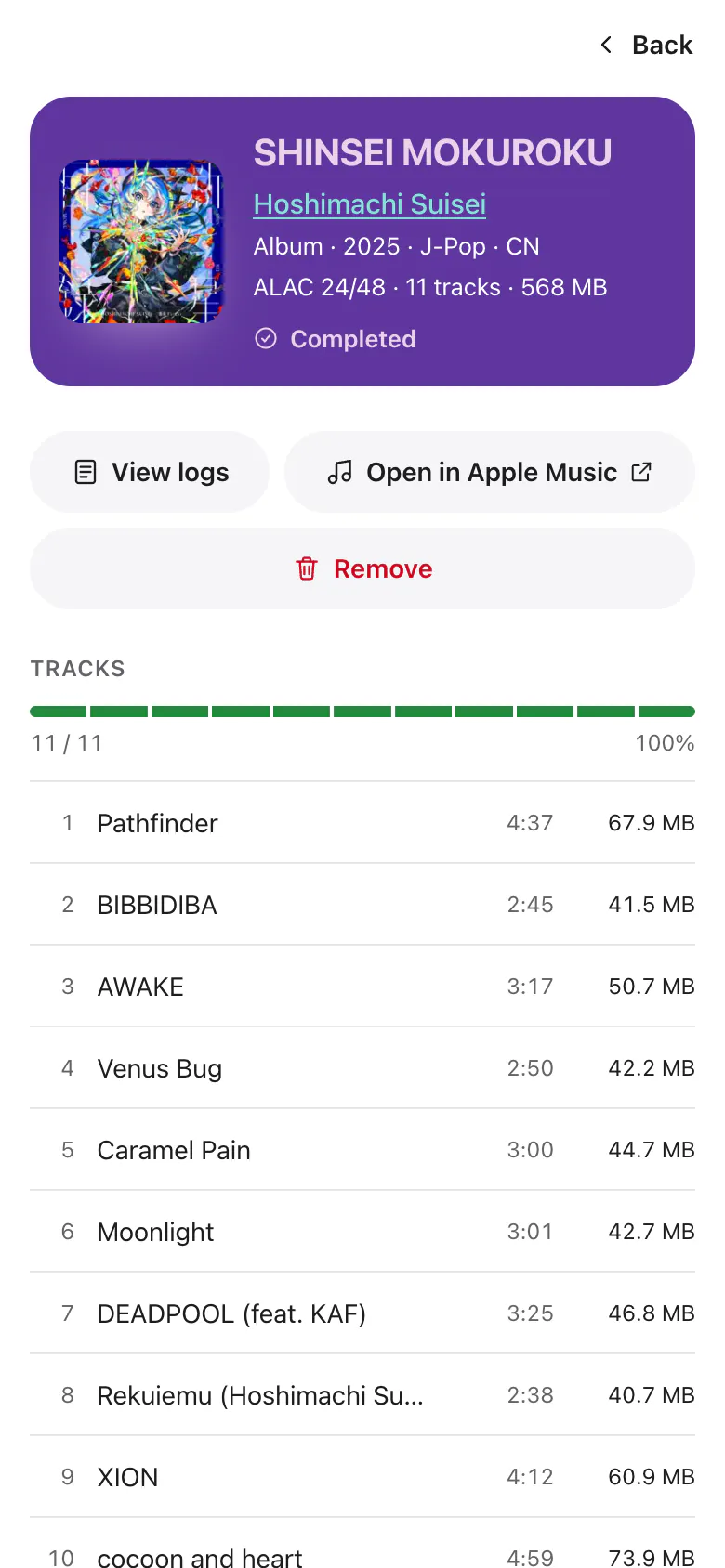
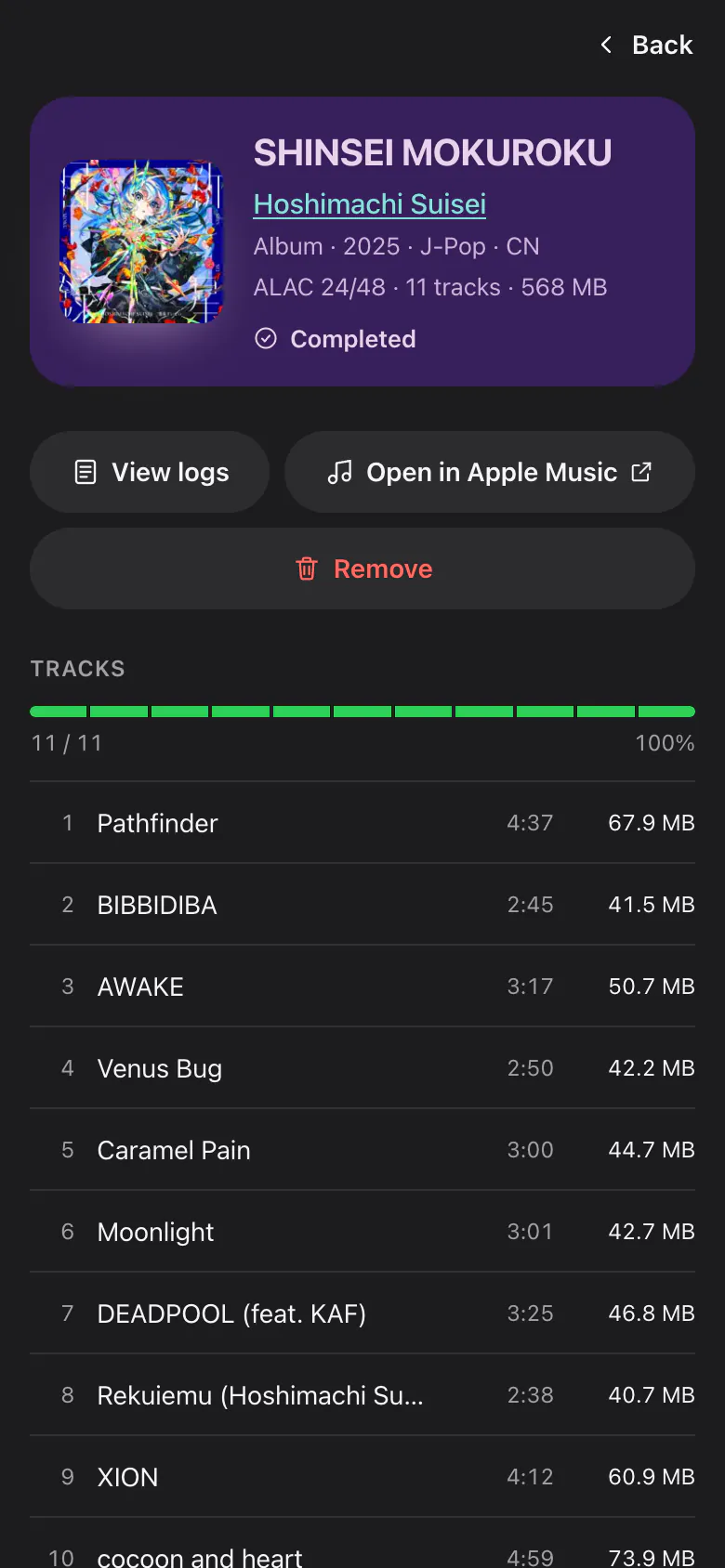
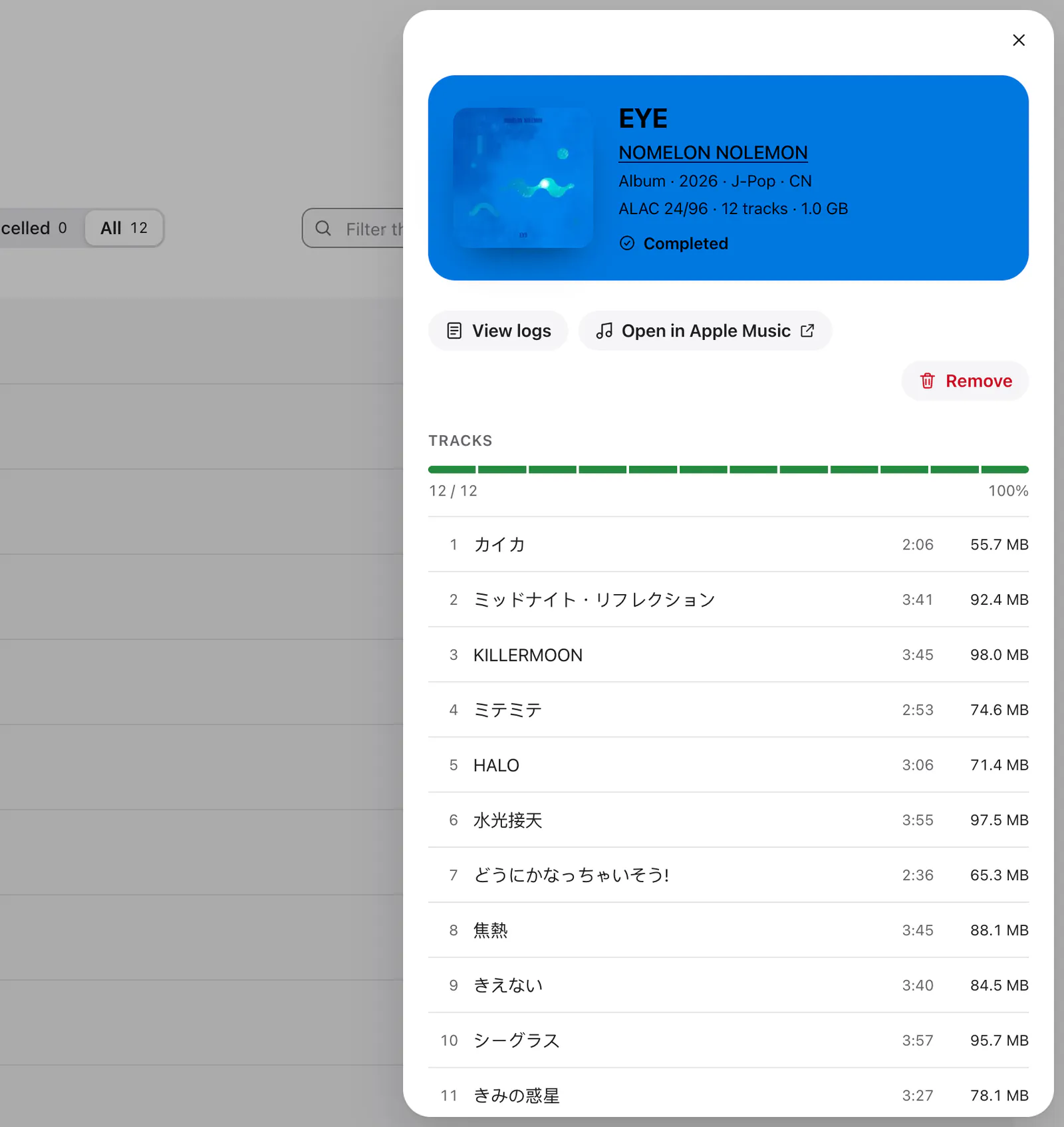
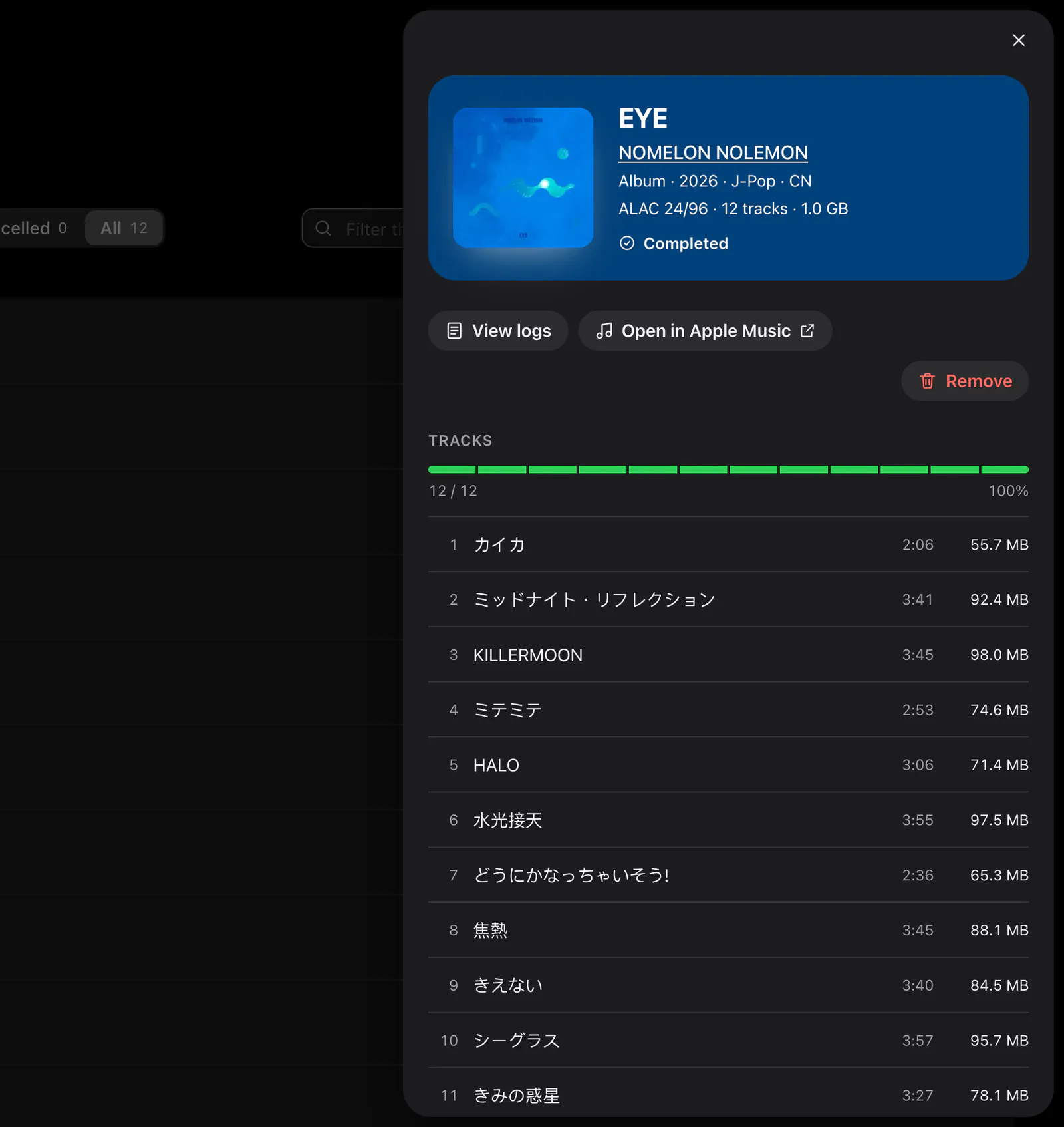
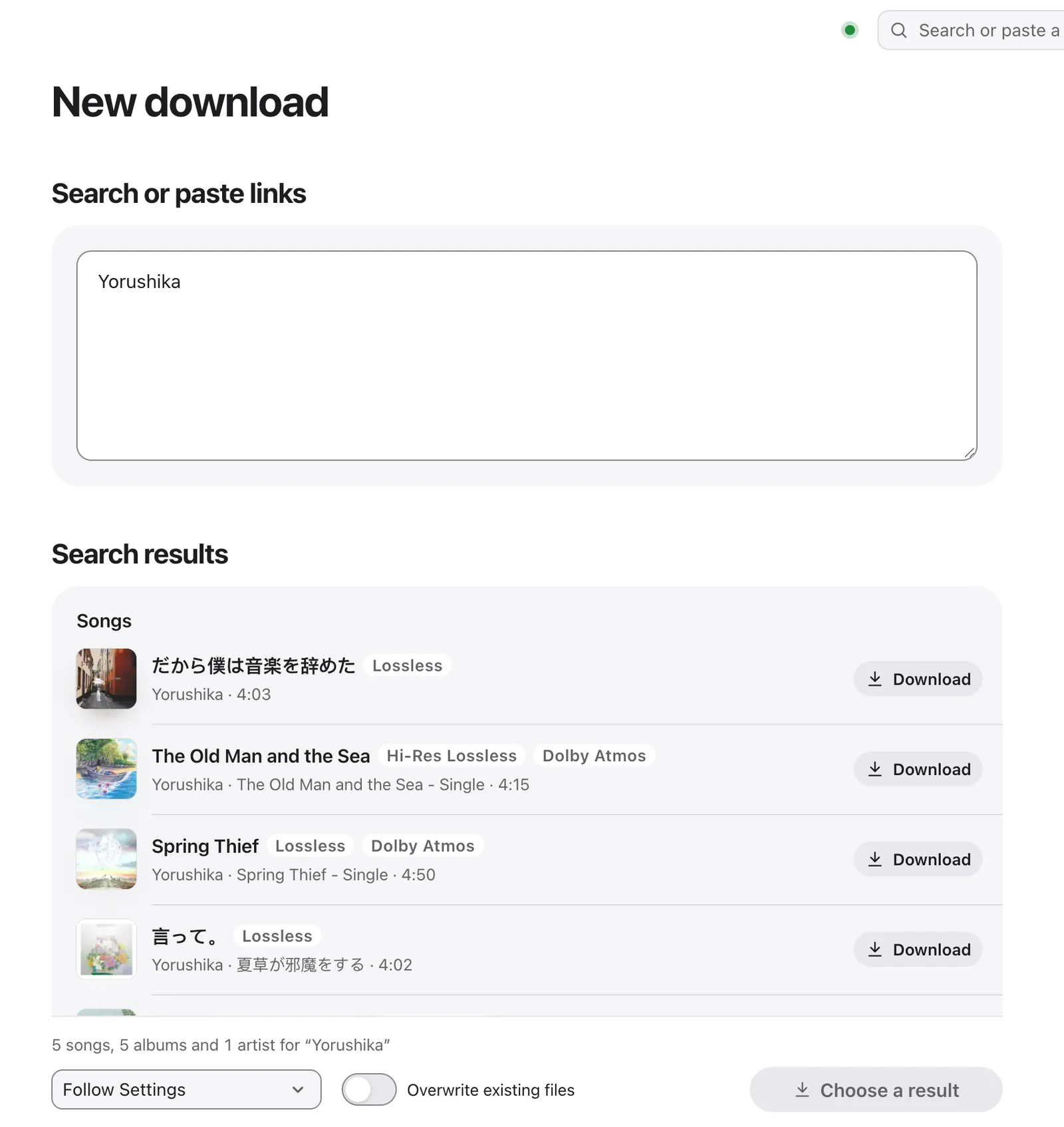
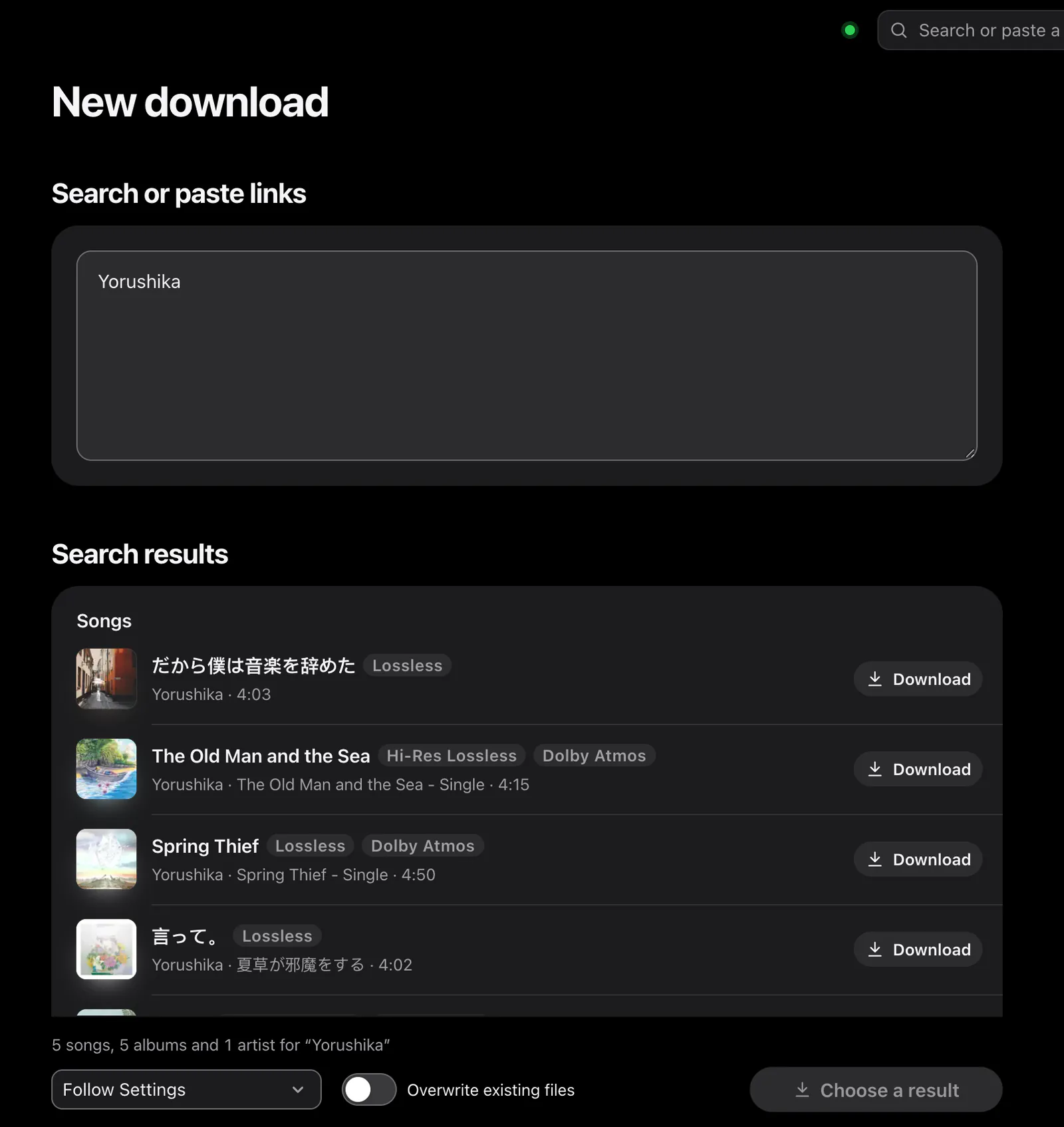
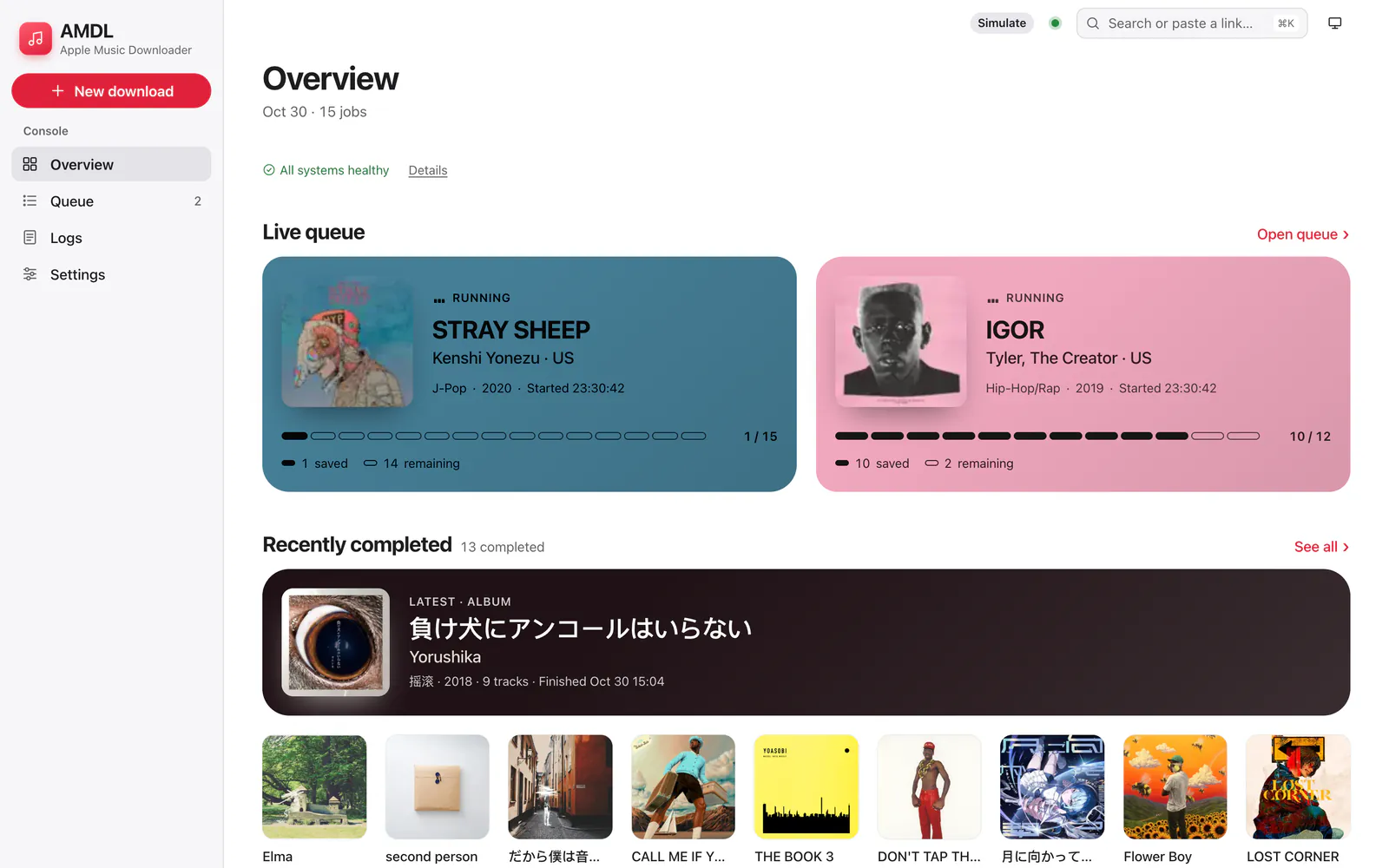
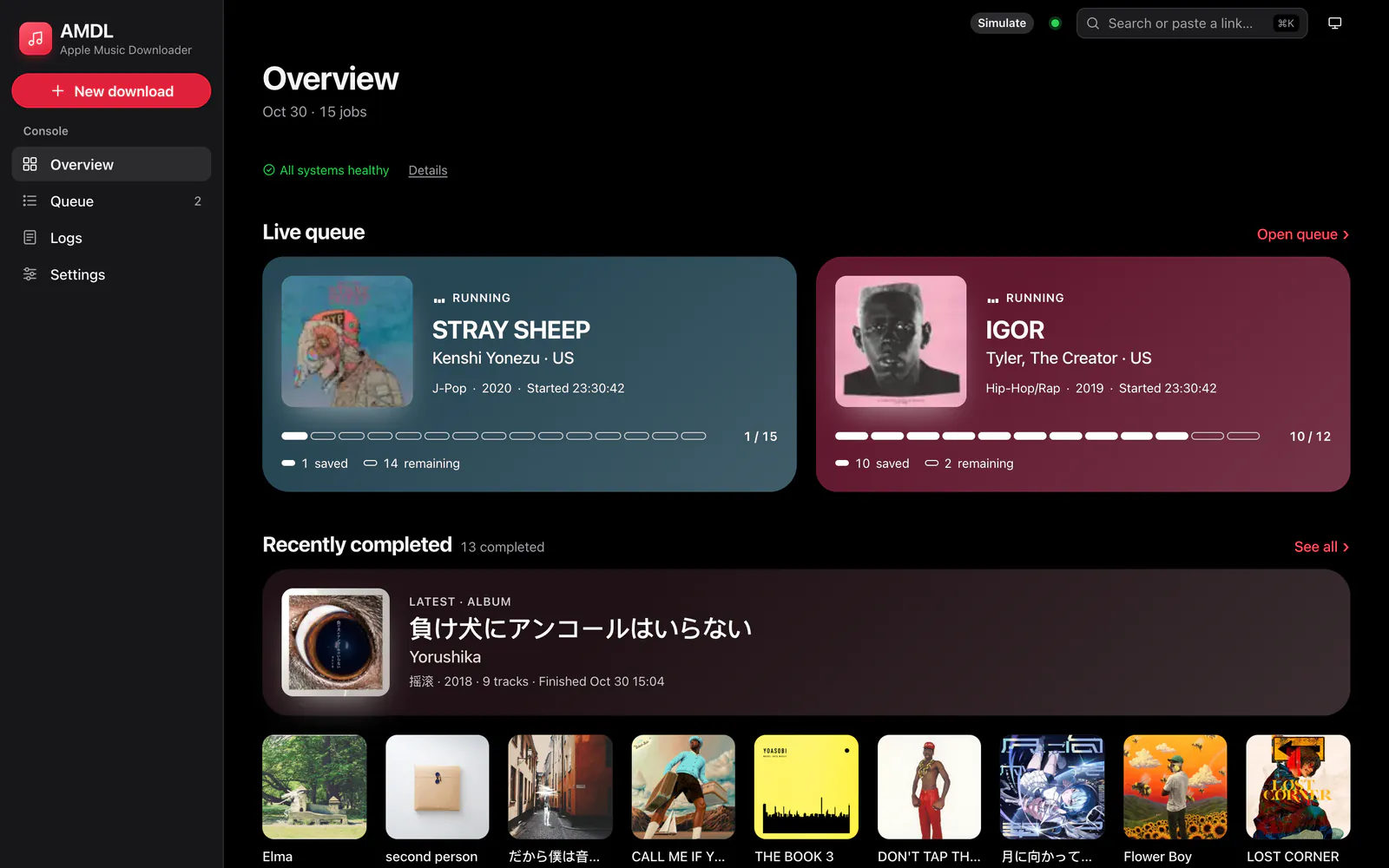
The browser client, embedded in the server at /console/. Search the catalog or paste links, watch each track move through its stages, and browse what you saved in each album's own colors.

  • A live queue with per-track stages and an album progress bar
  • Apple's animated covers, where an album has one
  • Logs, system health and settings, on desktop and phone

Terminal

CLI · MCP · TUI

amdl is one binary with three faces. Scripts and agents get JSON on stdout and an exit status for each kind of failure. amdl mcp serves the same commands as MCP tools. And amdl on its own opens an interactive interface: paste a link, or type to search.

  • Renders inline, so finished jobs stay in your terminal's scrollback.
  • One card per running job, colored after its album artwork.
  • No server of your own? amdl service install runs the backend on this machine as a background service that starts at login.

Desktop In development

Desktop app

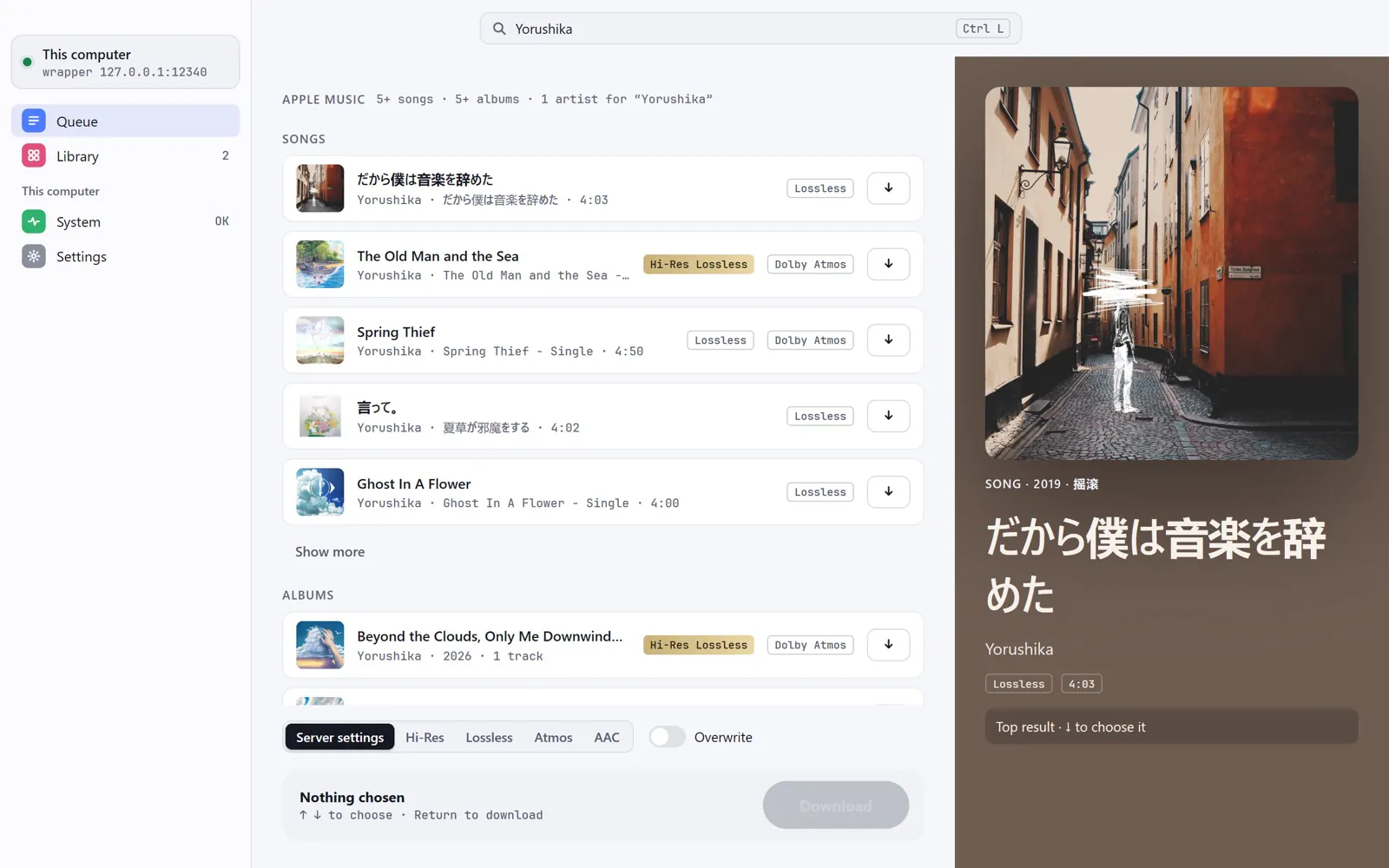
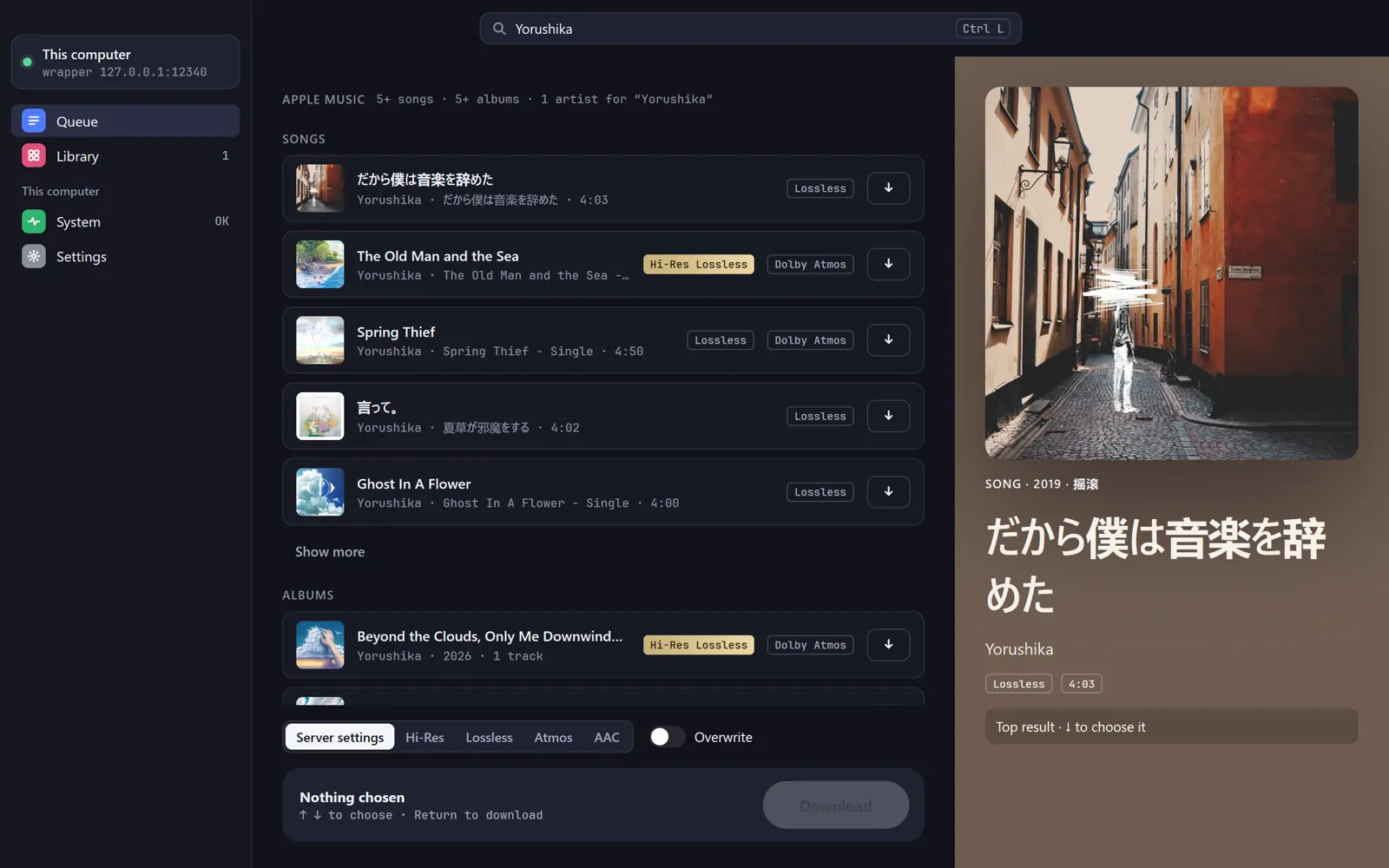
A native app for macOS, Windows and Linux, drawn with MyGo's native UI. It works as a client of your server, or runs the pipeline itself and talks to a remote wrapper, sharing one backend and one download history with the command line. It is not released yet.

A development build of the desktop app on Windows, searching the catalog for YorushikaA development build of the desktop app on Windows, searching the catalog for Yorushika
Development build on Windows

03 · Details

The parts you would otherwise script.

04 · Quick start

Up and running in a few minutes.

You need an Apple Music subscription and a wrapper: the service that holds your Apple Music login. Run the wrapper on a Linux box, or let amdl run it in a QEMU guest on your own machine.

  1. 1

    Install amdl

    The script checks the release against its SHA256SUMS and puts amdl in ~/.local/bin, printing the line to add to PATH if that folder is not on it. On Windows it goes to your user programs folder.

    macOS · Linux
     curl -fsSL https://raw.githubusercontent.com/AMDL-Web/apple-music-downloader/dev/deploy/install/install.sh | sh
    Windows · PowerShell
     [Net.ServicePointManager]::SecurityProtocol = [Net.ServicePointManager]::SecurityProtocol -bor 3072; irm https://raw.githubusercontent.com/AMDL-Web/apple-music-downloader/dev/deploy/install/install.ps1 | iex
  2. 2

    Check ffmpeg

    Every track goes through ffmpeg. amdl doctor says whether this machine has it, and prints the command that installs it if not.

     amdl doctor
  3. 3

    Get a wrapper

    This downloads upstream's wrapper guest and checks it against a pinned hash; it needs QEMU, which it offers to install. Already run a wrapper on a NAS or server? Skip this step.

     amdl wrapper install
  4. 4

    Run the backend

    This registers the backend as a service that starts at login, and it starts the wrapper with it. For a wrapper elsewhere, add --wrapper <its address>. amdl service status prints the console's address: sign in on its Account page, or here with amdl wrapper login.

     amdl service install
     amdl service status
  1. 1

    Get the Compose file

    In an empty directory. Create data/downloads first and give it to the backend's user (PUID:PGID, 1000:1000 unless you set them); otherwise Docker creates it as root. The first start adds configs/ and the rest of data/.

     mkdir amdl && cd amdl
     mkdir -p data/downloads && chown 1000:1000 data/downloads
     curl -fsSLO https://raw.githubusercontent.com/AMDL-Web/apple-music-downloader/dev/deploy/docker-compose.yml
  2. 2

    Turn on the wrapper

    In docker-compose.yml, uncomment the wrapper-manager service and the volumes: block at the end of the file, then set the wrapper address:

    AMDL_WRAPPER_ADDRESS: "http://wrapper-manager:8080"
  3. 3

    Start both

    Compose builds wrapper-manager from its v2 branch, so the host needs internet access.

     docker compose up -d
  4. 4

    Sign in and download

    Open http://localhost:18080/, go to Settings › Account and sign in with your Apple ID. Paste a link into New download; finished files land in ./data/downloads.

Every option of both paths is in the install guide and the deployment guide.

05 · For AI agents

Made for agents to drive.

Every result is JSON on stdout, and every error a JSON object on stderr with an exit status for each kind of failure. amdl cli search finds the command for a task, --dry-run prints a change instead of sending it, and a destructive command asks first, or needs --yes outside a terminal.

shell
 amdl search yorushika --types albums --limit 2 --fields name,url
{"albums":{"items":[{"name":"Beyond the Clouds, Only Me Downwind - Single","url":"https://music.apple.com/cn/album/beyond-the-clouds-only-me-downwind-single/6817316270"},{"name":"Plagiarism","url":"https://music.apple.com/cn/album/plagiarism/1519740112"}],"next_offset":2},"storefront":"cn","term":"yorushika"}
 amdl download https://music.apple.com/cn/album/plagiarism/1519740112 --dry-run
{"body":{"urls":["https://music.apple.com/cn/album/plagiarism/1519740112"]},"method":"POST","url":"http://nas.local:18080/api/v1/downloads"}
 amdl jobs delete job_4467…
{"error":{"code":"confirmation_required","message":"amdl jobs delete changes data that cannot be restored; nothing was changed","hint":"amdl jobs delete job_4467… --yes"}}
 echo $?
10

Releases attach amdl for Linux, macOS and Windows, and the server image ships it at /app/amdl. Command line reference

shell
 amdl context add nas http://nas.local:18080
{"current":true,"name":"nas","url":"http://nas.local:18080"}
 amdl cli setup --server nas --fields claude_code,mcp_json
{"claude_code":"claude mcp add amdl -- /home/me/.local/bin/amdl mcp --server nas","mcp_json":{"mcpServers":{"amdl":{"args":["mcp","--server","nas"],"command":"/home/me/.local/bin/amdl"}}}}
 claude mcp add amdl -- /home/me/.local/bin/amdl mcp --server nas
mcp.json
{
  "mcpServers": {
    "amdl": {
      "args": ["mcp", "--server", "nas"],
      "command": "/home/me/.local/bin/amdl"
    }
  }
}

amdl cli setup prints everything a coding agent needs to connect and changes no files: the claude mcp add command, a Codex config.toml entry, an mcpServers entry, a paragraph for AGENTS.md and an agent skill. From a search to a download then takes two calls, search_catalog and start_download, and wait_for_job reports the album's progress while it waits. No tool signs the wrapper in, so a password never passes through a model.